

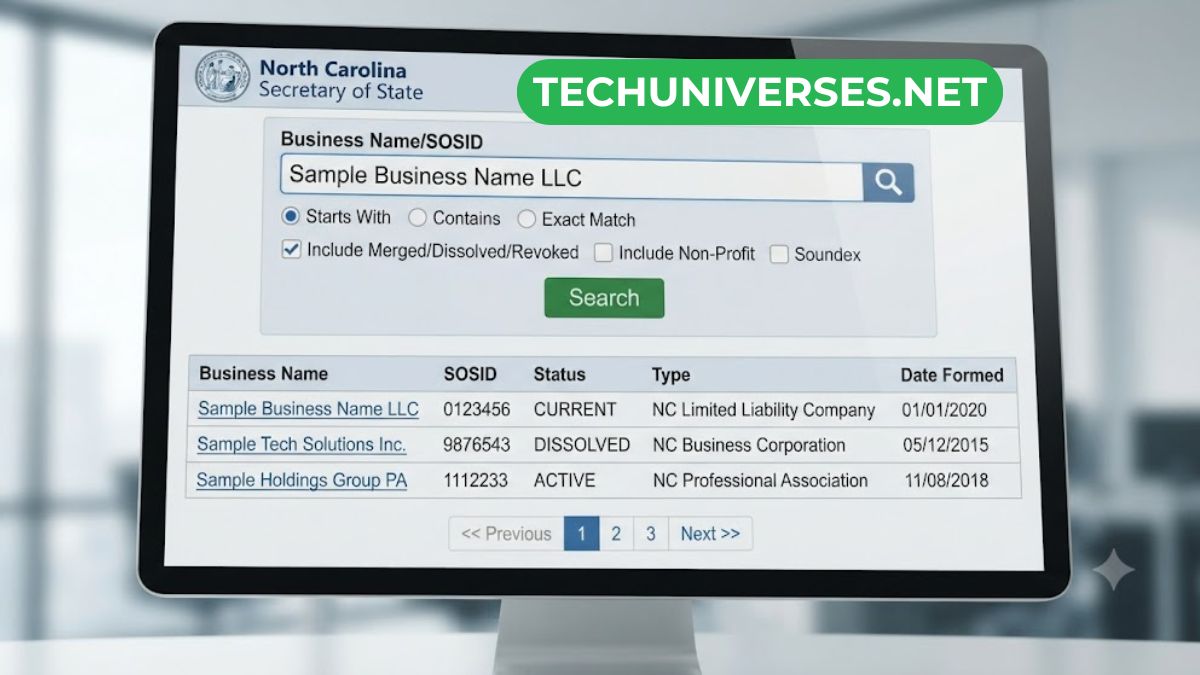
Trying to verify a company in North Carolina? The NC SOS Business Search is the fastest, free, and official way to do it.
This tool, maintained by the North Carolina Secretary of State, lets anyone check a business’s legal status in seconds. Whether you’re vetting a vendor, forming an LLC, or checking your own filings, this guide walks you through everything.
By the end, you’ll know exactly how to use sos nc business search tools, read the results, and avoid common mistakes.
What Is the NC SOS Business Search?
The NC SOS business search is a free online database run by the North Carolina Secretary of State’s Office. It’s the official public registry for every business entity registered to legally operate in the state.
This includes:
- Corporations (both domestic and foreign)
- Limited Liability Companies (LLCs)
- Limited Partnerships
- Nonprofits
- Professional entities like PLLCs and PCs
Every one of these entity types must file paperwork with the Secretary of State to operate legally in North Carolina. The nc sos business entity search tool pulls directly from that official filing data, so it’s always the most trustworthy source.
Unlike third-party business directories, this database is updated straight from government records. That makes it the single best place to confirm whether a business is real, active, and in good standing.
Why You Should Use the SOS NC Business Search
People use this tool for dozens of reasons, but a few come up constantly. Here’s why the sos business search nc portal matters so much.
1. Verifying a Business Before You Work With It
Before signing a contract, hiring a vendor, or accepting a job offer, it pays to check. An unregistered or dissolved business can’t be held to the same legal standards as an active one.
- Confirms the company legally exists
- Shows whether it’s in good standing or inactive
- Reveals the official registered name (not just a marketing name)
2. Checking Your Own Business Compliance
If you own an LLC or corporation in NC, you need to stay current on annual reports. A quick search shows your filing status instantly.
Missing an annual report can lead to administrative dissolution. Checking your status regularly helps you avoid that costly mistake.
3. Researching Competitors or Partners
Business owners often use the nc sos business search to research competitors. You can see when a company was formed, its registered agent, and its filing history.
4. Avoiding Scams and Fraud
Unregistered businesses lack real legal accountability. If a “company” doesn’t show up in the database at all, that’s a major red flag worth investigating further.
How to Use the NC SOS Business Search: Step-by-Step
Using the NC SOS business search portal is simple once you know the layout. Follow these steps to get accurate results fast.
- Go to the official website at sosnc.gov — never use a copycat site.
- Navigate to Online Services, then select Business Registration.
- Choose your search type from the first dropdown: Company Name, SOSID, Company Officials, or Registered Agents.
- Select a matching filter in the second dropdown — options usually include “Begins With,” “Contains All Words,” or “Exact Match.”
- Enter your search term in the Organization Name (or ID) field.
- Click Search to view the results table.
- Click the plus icon (+) next to a listing to expand full entity details.
That’s it. The whole process takes under a minute once you’re familiar with it.
Pro Tip: Skip “Exact Match” Searches
North Carolina is a “distinguishable upon the records” state. This means similar business names can exist with only tiny spelling differences.
Because of this, using Exact Match often returns zero results even when the business exists. Instead, try “Begins With” or “Contains All Words” for far better accuracy.
What Information Does the Search Show You?
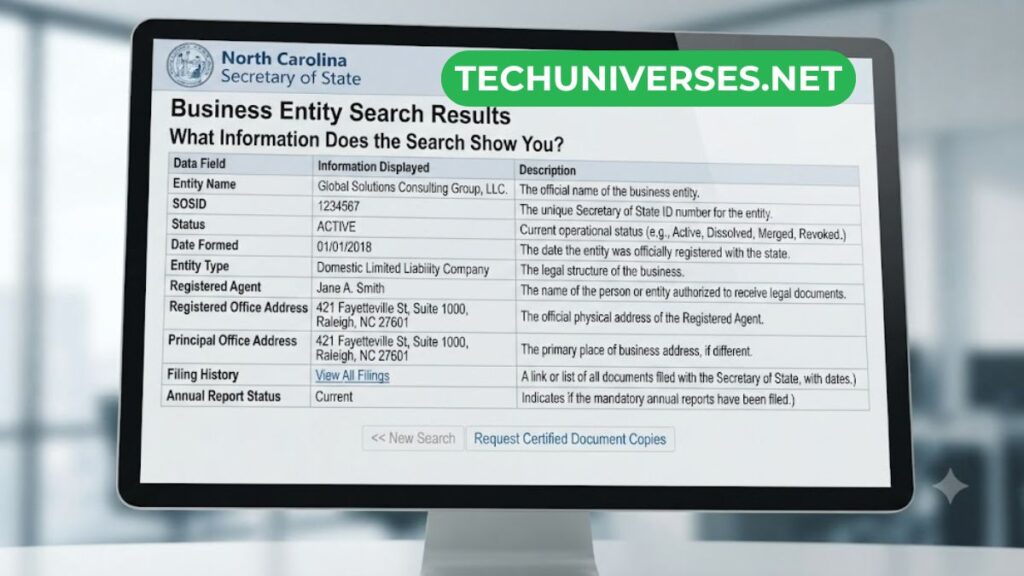
Once you find your target entity, the record reveals a surprising amount of detail. Here’s what typically appears on a completed nc sos business entity search.
- Legal business name and any prior names
- Entity type (LLC, Corporation, Nonprofit, etc.)
- Status — Active, Inactive, Dissolved, or Administratively Dissolved
- SOSID — the unique Secretary of State ID Number assigned to the entity
- Formation or registration date
- Registered agent name and physical address
- Filing history, including annual reports and amendments
The SOSID is especially useful. It’s a permanent identification number that stays with the business for its entire existence, even through name changes.
Domestic vs. Foreign Entities: What’s the Difference?
You’ll notice the search results label businesses as either “domestic” or “foreign.” This trips up a lot of first-time users.
- Domestic entity: Originally formed in North Carolina.
- Foreign entity: Formed in another state but registered to legally operate in NC as well.
Both types must maintain active, current registrations to legally do business in the state. A foreign entity that skips registration can face serious penalties and loses access to NC courts.
Understanding Registered Agents
Every registered business in North Carolina must list a registered agent. This is a critical detail the sos nc business search always displays.
A registered agent must have:
- A physical street address within North Carolina (no P.O. boxes allowed)
- Availability during normal business hours to accept legal documents
- Either individual residency in NC, or status as an authorized registered agent company
If a business’s registered agent info looks outdated or missing, that’s often a sign the company isn’t keeping its filings current.
What This Search Does NOT Show
It’s important to understand the limits of this tool too. Knowing what’s missing saves you time chasing information that isn’t there.
- Owner names aren’t directly searchable. You can search by registered agent, but that isn’t always the same person as the owner.
- Sole proprietorships generally aren’t listed unless they filed a trade name (DBA).
- DBAs (Assumed Business Names) are filed at the county Register of Deeds level, not with the Secretary of State.
- Real-time updates aren’t guaranteed. Recent filings can take 24 to 72 hours to appear in the system.
If you need guaranteed, time-sensitive proof of a company’s status, request an official Certificate of Existence (North Carolina’s version of a certificate of good standing) directly from the Secretary of State for a small fee.
Common Reasons a Business Won’t Show Up
If your search comes back empty, don’t panic right away. There are several common explanations worth checking first.
- You used Exact Match instead of a partial-match filter.
- The business is a sole proprietorship without a filed DBA.
- The company operates under a different legal name than its marketing brand.
- Recent filings haven’t processed yet (within the 24–72 hour window).
- The business was dissolved or never registered in North Carolina at all.
Try broadening your search terms first. If the business truly isn’t there, that’s valuable information on its own.
NC SOS Business Search vs. UCC Search: Know the Difference
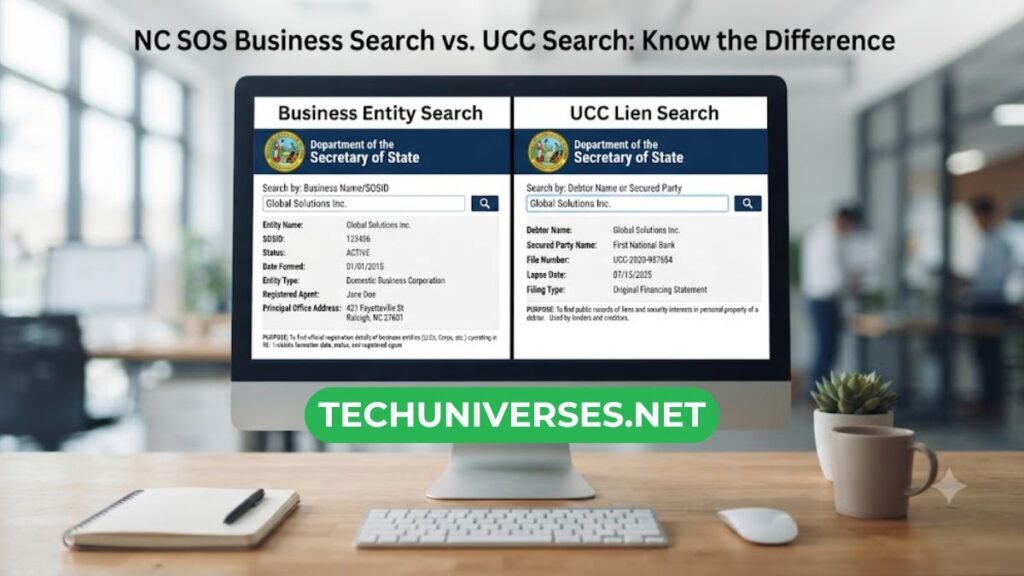
Many users confuse the standard entity search with the UCC (Uniform Commercial Code) search. They serve very different purposes.
- Business Entity Search: Confirms legal status, formation date, and registered agent.
- UCC Search: Reveals liens, loans, and financial claims filed against a business’s assets.
If you’re doing due diligence before a major purchase or loan, running both searches gives you a fuller financial picture.
Tips for Getting the Most Accurate Results
A few small habits make a big difference in search accuracy. Keep these in mind every time you search.
- Use partial words rather than full company names when unsure of exact phrasing
- Try searching by SOSID if you already have it — it’s the most precise method
- Check the status field first, since a name match doesn’t guarantee an active business
- Cross-reference formation dates if multiple similar names appear
- Bookmark sosnc.gov directly to avoid third-party lookalike sites
What to Do If You Spot Fraud
If a business appears to be misrepresenting its legal status, you have options. Don’t just walk away without reporting it.
- Contact the NC Attorney General’s Consumer Protection Division
- Report directly to the NC Secretary of State’s office
- Keep screenshots of any misleading claims for your records
Taking these steps helps protect other consumers and business owners from the same issue.
Frequently Asked Questions
Is the NC SOS business search free to use? Yes. The database is completely free and available around the clock at sosnc.gov.
How current is the information in the database? Filings are processed regularly, but new changes can take 24 to 72 hours to appear in search results.
Can I search by owner name? Not directly. You can search by registered agent, which sometimes matches the owner but isn’t guaranteed.
What is a SOSID? It’s the unique Secretary of State Identification Number assigned to every registered entity in North Carolina.
Final Thoughts
The NC SOS business search is one of the most valuable free tools available to anyone doing business in North Carolina. It takes minutes to verify a company’s legitimacy, check compliance, or research the competition.
Whether you’re using the sos nc business entity search for due diligence or simply confirming your own LLC’s status, always go straight to the official sosnc.gov portal. It remains the only reliable source for accurate, up-to-date North Carolina business records.
Bookmark it, learn the search filters, and you’ll never have to guess about a business’s legitimacy again.