

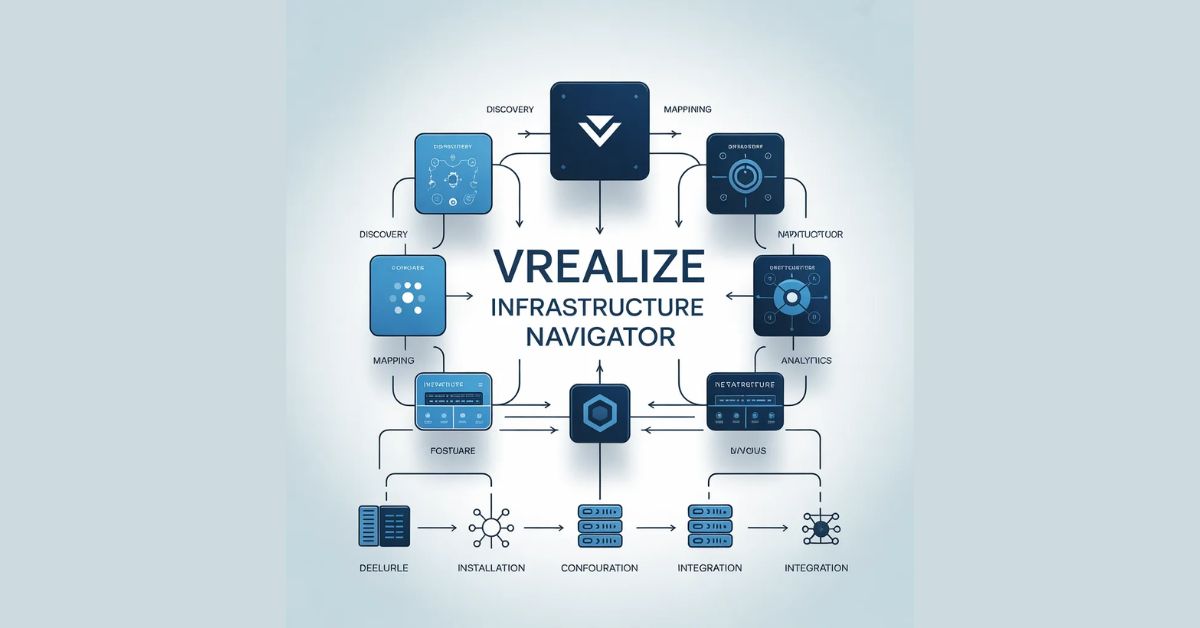
vRealize Infrastructure Navigator, Imagine a critical application going down in your data center, and your operations team spends hours — sometimes days — simply trying to understand which virtual machines, services, and dependencies are involved. This is not a hypothetical scenario. According to industry research, IT teams waste an average of 30% of their troubleshooting time just mapping out application dependencies before they can even begin to diagnose the root cause. In complex virtualized environments, this blind spot is one of the most expensive problems organizations face today.
vRealize Infrastructure Navigator (vRIN) was designed by VMware precisely to eliminate this problem. It delivers automated, real-time discovery and visualization of application dependencies across your entire virtual infrastructure. Whether you are managing a mid-sized enterprise environment or a sprawling multi-datacenter deployment, vRIN provides the operational clarity that modern IT teams desperately need. This guide covers everything: what vRIN is, its core features, how it integrates with the broader VMware ecosystem, and a detailed deployment walkthrough to get you up and running quickly.
What Is vRealize Infrastructure Navigator and Why It Matters
vRealize Infrastructure Navigator is a VMware product that automatically discovers, maps, and visualizes the relationships and dependencies between virtual machines, applications, and services running in vSphere environments. Unlike traditional monitoring tools that require manual configuration of dependency maps, vRIN uses agent-based discovery to automatically build a living topology of your infrastructure in real time.
The tool matters because modern applications are rarely monolithic. A single business-critical application might depend on dozens of virtual machines running web servers, application servers, databases, message queues, and caching layers — all communicating across the network. When something breaks, understanding these relationships instantly is the difference between a 15-minute outage and a 3-hour incident. vRIN gives operations teams, architects, and application owners a shared, accurate view of how everything connects.
From a business perspective, the value is clear. Faster incident resolution reduces downtime costs. Accurate dependency mapping enables confident change management. Compliance teams gain audit-ready documentation of application topology. And capacity planners can model the impact of changes before they happen. vRIN transforms infrastructure visibility from a manual, error-prone process into an automated, always-current capability.
Core Features of vRealize Infrastructure Navigator
Automated Application Discovery and Topology Mapping
The most fundamental feature of vRIN is its ability to automatically discover what is running across your virtual machines and how those workloads communicate with each other. The product deploys lightweight agents on virtual machines that monitor network traffic, process activity, and service ports to build an accurate picture of application topology. Unlike passive network scanners that can only see what is happening at a point in time, vRIN continuously updates its dependency maps as workloads change, new services are deployed, or traffic patterns evolve.
The resulting topology maps are displayed visually within the vRIN interface, showing virtual machines grouped into logical application tiers and connected by dependency lines that represent actual observed network communication. This means you are never looking at a manually drawn diagram that might be months out of date — you are looking at a live representation of your infrastructure as it exists right now. For environments where applications change frequently due to DevOps practices or agile development cycles, this real-time accuracy is indispensable.
Dependency Analysis and Impact Assessment
Beyond simply showing what exists, vRIN performs deep dependency analysis that answers the questions operations teams actually need answered. When you select any virtual machine or application component in the interface, vRIN immediately shows you everything that depends on it, and everything it depends on. This bidirectional dependency view is critical for change management and incident response.
The impact assessment capability takes this further. Before performing maintenance on a virtual machine, a storage datastore, or a network segment, administrators can use vRIN to understand the downstream blast radius of that change. Which applications would be affected? Which business services depend on those applications? This kind of pre-change analysis reduces the risk of unintended outages and enables teams to schedule maintenance windows with confidence, notify the right stakeholders, and prepare rollback procedures if needed.
Integration with VMware vCenter and vRealize Operations
vRealize Infrastructure Navigator does not operate in isolation. It is deeply integrated with VMware vCenter Server, which means it can correlate application dependency data with the full inventory of virtual machines, hosts, clusters, datastores, and networks managed in your vCenter environment. This integration allows vRIN to present dependency information in context with the infrastructure resources that underpin those applications.
The integration with vRealize Operations Manager (now part of VMware Aria Operations) is particularly powerful. When vRIN feeds its dependency topology into vRealize Operations, the monitoring platform gains application-aware intelligence. Alerts and anomalies detected in vRealize Operations can be viewed in the context of application topology, making it dramatically easier to understand whether a performance issue on one VM is likely to cascade into a broader application problem. Together, the two products provide a level of operational visibility that neither can achieve alone.
Application Container and Service Grouping
vRIN introduces the concept of application containers — logical groupings of virtual machines that collectively represent a single application or service. These containers are not the same as Docker containers; rather, they are administrative constructs within vRIN that allow teams to organize their discovered workloads into meaningful business services. An administrator can define a container for a three-tier web application that includes all its web servers, application servers, and database VMs, and vRIN will track that application as a unified entity.
This grouping capability is significant for several reasons. First, it makes the interface much easier to navigate in large environments with hundreds or thousands of virtual machines. Second, it enables role-based views, where application owners can log in and see only the components relevant to their service. Third, it allows for application-level reporting on health, dependency changes, and impact analysis, rather than forcing teams to reason about individual VMs.
Change Tracking and Historical Dependency Data
One of the most underappreciated features of vRIN is its ability to track changes to application topology over time. When a new service dependency appears, a VM is added to an application stack, or a previously observed connection disappears, vRIN records that change with a timestamp. This historical data is invaluable for troubleshooting scenarios where the question is not just ‘what is broken’ but ‘what changed just before things broke.’
Change tracking also supports compliance and governance requirements. Many regulatory frameworks require organizations to maintain documentation of their application architectures and to demonstrate that changes are tracked and reviewed. vRIN’s automated change history provides a ready-made audit trail that compliance teams can reference without requiring manual documentation updates from busy operations staff.
System Requirements and Pre-Deployment Planning
Before deploying vRealize Infrastructure Navigator, thorough pre-deployment planning is essential. The product has specific requirements that must be met to ensure a successful installation and reliable operation. Understanding these requirements upfront prevents the common pitfalls that lead to failed deployments or degraded performance after rollout.
From a vSphere compatibility standpoint, vRIN requires VMware vCenter Server 5.1 or later, and the virtual machines you intend to monitor must be running on ESXi 5.0 or later hosts. The vRIN server itself is delivered as a virtual appliance in OVA format and requires a minimum of 4 vCPUs, 8 GB of RAM, and 60 GB of disk space for the base installation, with additional storage requirements scaling based on the number of monitored VMs and the desired retention period for historical data.
Network connectivity is a critical planning consideration. The vRIN server must be able to communicate with your vCenter Server on port 443 for API access, and the vRIN agents deployed on monitored virtual machines must be able to communicate with the vRIN server. Firewall rules should be planned and reviewed before deployment to ensure these communication paths are available. In environments with strict network segmentation, additional coordination with the network team may be necessary.
Operating system compatibility for the vRIN agent should also be reviewed during pre-deployment planning. The agent supports a wide range of Windows Server and Linux operating systems, but specific version support should be verified against the VMware compatibility matrix for the version of vRIN being deployed. Unsupported operating systems will not be able to run the agent and will appear in vRIN with limited discovery data.
Step-by-Step Deployment Process for vRealize Infrastructure Navigator
Step 1 — Downloading and Deploying the vRIN Virtual Appliance
The deployment of vRealize Infrastructure Navigator begins with downloading the OVA file from the VMware Customer Connect portal. Once you have the OVA, navigate to your vCenter Server web client and use the ‘Deploy OVF Template’ wizard to deploy the virtual appliance. Select a host or cluster with sufficient resources to meet the minimum requirements, choose an appropriate datastore with enough free space, and configure network settings to connect the appliance to a network segment with access to vCenter and to the workloads you plan to monitor.
During the OVA deployment wizard, you will be prompted to configure initial network settings for the appliance including IP address, subnet mask, default gateway, and DNS server information. It is strongly recommended to assign a static IP address to the vRIN appliance rather than relying on DHCP, as agents deployed on monitored VMs will need to communicate with this address reliably over time. Once deployment completes, power on the virtual appliance and allow several minutes for the initial boot sequence to complete.
Step 2 — Initial Configuration and vCenter Registration
After the vRIN appliance has booted, access its management interface by navigating to the appliance’s IP address in a web browser using HTTPS. You will be prompted to complete the initial configuration wizard, which guides you through setting the administrator password, configuring NTP time synchronization, and registering the appliance with your vCenter Server. The vCenter registration step requires providing the vCenter Server hostname or IP address along with credentials for an account that has sufficient privileges to read inventory data and manage extensions.
Once vCenter registration is complete, vRIN will begin an initial synchronization of your virtual machine inventory. This process can take anywhere from a few minutes to over an hour depending on the size of your environment. During this synchronization, vRIN imports all virtual machine objects, their configurations, and their relationships to hosts, clusters, datastores, and networks from vCenter. This foundational data forms the base upon which application dependency discovery will be layered.
Step 3 — Deploying vRIN Agents on Virtual Machines
The agent deployment phase is where vRIN gains its dependency discovery capabilities. vRIN agents can be deployed in two ways: manually by downloading the agent installer from the vRIN management interface and running it on each VM, or automatically through vRIN’s built-in agent deployment mechanism that leverages VMware Tools and vCenter to push agents to multiple VMs simultaneously. For large environments, the automated deployment approach is strongly recommended as it dramatically reduces the time and effort required.
When deploying agents automatically, you can target individual VMs, entire clusters, or resource pools, giving you precise control over which workloads are monitored. After deployment, agents begin collecting process and network connection data immediately and transmitting this information back to the vRIN server. Initial dependency map population begins within minutes of agent deployment, though a period of several hours to a day is typically needed before the maps fully stabilize as the agents observe the normal communication patterns of the monitored applications.
Step 4 — Configuring Application Containers and User Access
With agents deployed and dependency data flowing in, the next configuration step is organizing the discovered workloads into application containers that reflect the logical structure of your business applications. Navigate to the Applications section of the vRIN interface and create containers for each application you want to track. You can manually assign VMs to containers, or use vRIN’s suggestion feature that proposes groupings based on observed dependency patterns — a significant time-saver in environments with many applications.
User access configuration should be completed at this stage as well. vRIN supports role-based access control integrated with vCenter Single Sign-On, allowing you to define different permission levels for different user groups. Application owners can be granted read access to view their specific application containers, while operations administrators receive full access to all discovery data and configuration settings. Proper access control ensures that vRIN’s sensitive dependency data is available to those who need it while protecting against unauthorized changes.
Step 5 — Validation and Ongoing Maintenance
After completing the initial deployment and configuration, a validation phase should be conducted to verify that the deployment is working correctly. Review several representative application containers to confirm that the expected VMs are present, that dependency connections reflect actual communication patterns, and that the map topology matches your architects’ understanding of the application design. Any discrepancies at this stage often indicate either agent connectivity issues, network segmentation problems, or workloads that communicate through intermediary services not yet covered by the deployment.
Ongoing maintenance of a vRIN deployment involves periodic tasks including updating the vRIN appliance and agents when new versions are released, reviewing and updating application container definitions as application architectures evolve, and monitoring the health of the vRIN appliance itself. VMware releases updates to vRIN that introduce new features, expand OS compatibility, and address security vulnerabilities, so maintaining a regular patching cadence is important for both security and functionality.
Advanced Use Cases and Best Practices for vRIN
Organizations that have successfully deployed vRealize Infrastructure Navigator often find that the tool’s value expands significantly beyond its initial use case once teams become familiar with its capabilities. Migration planning is one of the most powerful advanced applications. When planning a data center migration, cloud migration, or hardware refresh, vRIN’s dependency maps provide the authoritative source of truth for understanding which VMs must be migrated together to preserve application integrity. Migration teams can export dependency data to plan migration waves, ensuring that interdependent services are moved in the correct sequence.
Security teams have also found significant value in vRIN’s dependency data. By reviewing the communication patterns observed by vRIN agents, security analysts can identify unexpected connections between VMs that might indicate lateral movement by an attacker or a misconfigured application communicating with unintended endpoints. When integrated with network segmentation tools, vRIN’s dependency data can also inform micro-segmentation policies by defining the communication boundaries that security rules should enforce.
For organizations pursuing hybrid cloud strategies, vRIN’s topology data helps identify which applications are good candidates for cloud migration based on their dependency complexity, and which should remain on-premises due to latency-sensitive dependencies or compliance requirements. This kind of informed cloud journey planning reduces the risk of costly migration failures and helps organizations build realistic timelines for their cloud adoption programs.
Conclusion: Making vRealize Infrastructure Navigator Work for Your Organization
vRealize Infrastructure Navigator addresses one of the most fundamental challenges in modern IT operations: understanding what you have, how it connects, and what the impact of change will be before that change happens. Its automated discovery engine, real-time dependency mapping, deep vCenter integration, and powerful application container model make it one of the most operationally valuable tools in the VMware portfolio.
The deployment process, while requiring careful pre-planning around network connectivity, system requirements, and agent compatibility, is straightforward when followed systematically. Organizations that invest the time to properly configure application containers and integrate vRIN with vRealize Operations unlock a level of application-aware monitoring intelligence that fundamentally changes how their operations teams respond to incidents and plan for change. As infrastructure environments continue to grow in complexity — with more virtual machines, more microservices, more hybrid cloud workloads, and faster rates of change — tools like vRealize Infrastructure Navigator move from being nice-to-have capabilities to operational necessities. The teams that deploy and master vRIN today will be better positioned to manage the infrastructure challenges of tomorrow with speed, confidence, and precision.
